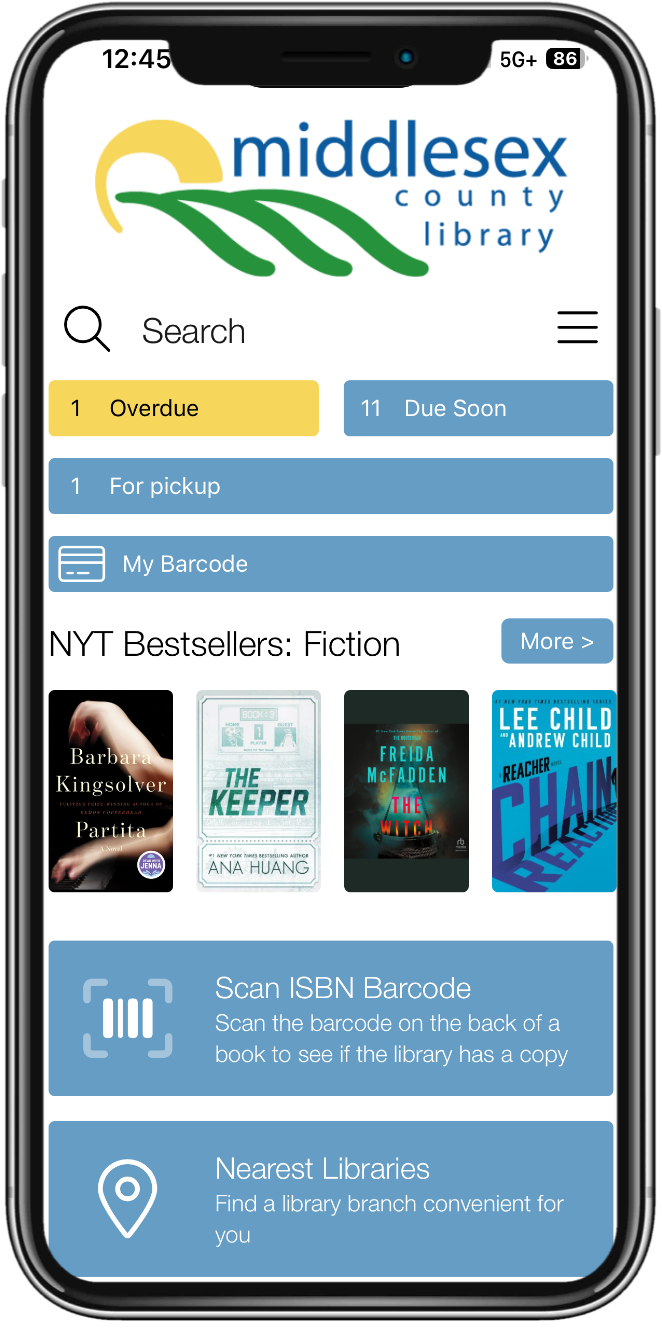


Middlesex County Library Mobile App
The MCL App makes it quick and easy to access Middlesex County Library accounts and catalogue on your device. Search for items, place holds, renew borrowed items, access eBooks and audiobooks, manage your account, discover programs and more!


Mobile App Features
- Digital Library Card: Save your MCL library card in the app for quick and easy access, so you don’t need to carry your physical card. You can also add your library card to Apple Wallet or Google Wallet.
- Search the Catalogue: Search for items by title, author, subject, or general keyword and place holds on interesting items.
- Manage your Account: View checked-out items, renew eligible borrowed items, manage holds, view fines and account information.
- My Lists and Check-Out History: Save titles to My Lists and use the Check-Out History to keep track of your reading.
- Link Accounts: Ideal for busy families, this feature allows you to link library accounts so that you can keep track of everyone's checked out items, holds and fines--all on one screen. Use "My Account/Linked Accounts” to add/remove a Library Card.
- Search by ISBN Barcode: Use your device's camera to scan the barcode on any book or DVD to search out catalogue for that item.
- Find a Branch: Use “Nearest Libraries” to find the closest location information and hours
- Social Media: Keep in touch with your library system and follow us on our social platforms.
- What's On: Never miss a program or event at your local branch.
- eBooks, Audiobooks & Online Resources: Find eBooks and audiobooks; access magazines and newspapers; learning tools, research databases and other online resources.